Introduction
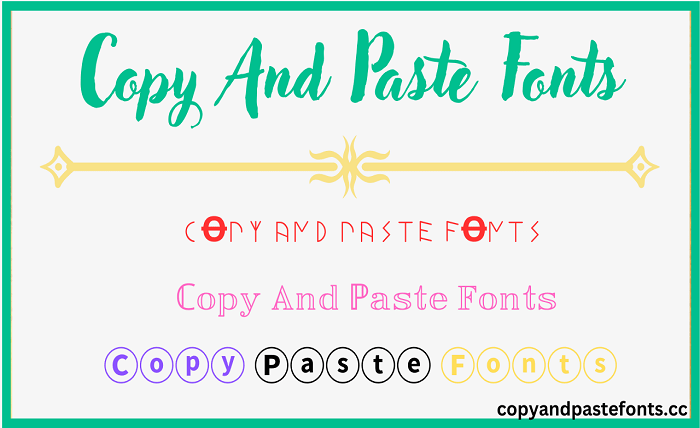
In today’s digital landscape, standing out from the crowd is more important than ever. Whether you’re curating the perfect Instagram bio, crafting an engaging TikTok caption, or simply wanting to add a unique flair to your messages, the ability to use different font styles can make a significant difference. This is where the magic of font copy and paste comes into play. It’s a simple yet powerful tool that allows anyone to transform standard, plain text into eye-catching, stylish typography without needing any design skills or software installation. But what exactly is this process, and how does it work? Let’s dive into the world of fancy text and discover how you can use a font copy and paste generator to elevate your online presence.
The Technology Behind Font Copy and Paste
At its core, a font copy and paste tool doesn’t actually generate fonts in the traditional sense. When you use a tool to create bold, cursive, or other stylish text, you aren’t creating a new typeface file. Instead, these generators use the magic of Unicode. Unicode is an international standard that assigns a unique number to every character, regardless of the platform, program, or language. A font copy and paste generator works by taking the normal text you input and mapping each character to a similar-looking, but “fancier,” symbol within the Unicode Standard. For example, the Mathematical Alphanumeric Symbols block contains characters that look like bold, italic, and script versions of the standard Latin alphabet. By using these special Unicode characters, a font copy and paste tool allows you to convert your text into a variety of styles. The beauty of this system is that since these are text characters and not images, you can copy the generated text and paste it into almost any app or platform that supports Unicode, from Instagram and Twitter to messaging apps and game chats.
A Step-by-Step Guide to Using a Font Copy and Paste Tool
Using a font copy and paste generator is incredibly straightforward. Most tools follow a simple three-step process that anyone can master in seconds. Here’s how you can use a typical font copy and paste tool:
-
Step 1: Type Your Text. Navigate to a font copy and paste tool online. You’ll find a text box where you can type or paste the text you want to transform.
-
Step 2: Choose Your Style. Once you’ve entered your text, the font copy and paste generator will instantly display your message in dozens of different styles. You can choose from bold, cursive, gothic, double-struck, upside-down, and many more creative options.
-
Step 3: Copy and Paste. After finding the perfect font style, simply click the “Copy” button next to it, or highlight and copy the text (using Ctrl+C on Windows or Cmd+C on Mac). Then, navigate to your desired platform—be it your Instagram bio, a TikTok caption, or a WhatsApp message—and paste it (Ctrl+V or Cmd+V). The text will appear in your chosen style instantly.
Popular Font Styles for Copy and Paste
The variety of styles available through a font copy and paste generator is vast, catering to different aesthetics and purposes. Here are some of the most popular and commonly used styles:
-
Bold Fonts: Perfect for making a statement and grabbing attention. Styles like Bold and Bold Serif make your text pop.
-
Cursive and Script Fonts: These fonts add a touch of elegance, personality, or a personal feel to your text. Great for bios and captions where you want to seem approachable or creative.
-
Monospace and Typewriter Fonts: These give your text a technical, classic, or “hacker” aesthetic, suitable for certain gaming or tech-themed profiles.
-
Glitch/Zalgo Text: By stacking combining diacritical marks, a font copy and paste generator can create a glitchy, chaotic look that is very popular in meme and gaming communities.
-
Tiny Text (Small Caps): A cute and minimalistic option that uses characters with a smaller vertical profile, perfect for fitting more text in a small space or adding a subtle detail.
These are just a few examples, and depending on the specific font copy and paste generator you use, you might find up to hundreds of other unique styles.
Creative Ways to Use Font Copy and Paste
The applications for a font copy and paste tool are numerous, especially when you want to express your personality online. Here are some creative ways to use these styled texts:
-
Enhance Social Media Profiles: An eye-catching Instagram bio or a unique Twitter display name is one of the most common uses. A font copy and paste style helps your profile stand out from the millions of others. Whether it’s a bold username or a fancy cursive bio, the right font can make your profile more memorable and express your personal brand or vibe.
-
Create Unique Captions: Make your TikTok, Instagram, and Facebook captions more visually appealing. A simple caption can be transformed into an engaging part of your post when you use a font copy and paste generator.
-
Personalize Messages: Send cool and fun messages in apps like WhatsApp, iMessage, or Telegram. It can be a great way to add emphasis to an important point or simply show off your style to friends and family.
-
Game and Community Usernames: In the gaming world, standing out in a leaderboard or server is key. Using a font copy and paste generator is a quick way to create a stylish, cool, or glitchy username for games and platforms like Discord or Roblox.
The Best Tools and Apps for Font Copy and Paste
While there are countless font copy and paste websites and apps available online, choosing the right one can enhance your experience. Some of the most popular and trusted options include:
-
Dedicated Websites: There are many excellent websites that function as a dedicated font copy and paste tool. These sites, like FontSpace, Font.bio, and many others, are typically free and offer instant conversion of your text. They are convenient because you can access them from any web browser, on any device, without installing anything.
-
Mobile Apps: For on-the-go styling, mobile apps are a perfect solution. Apps like “Font Style” and “Stylish Text Maker” offer massive collections of fonts and symbols, with up to 160+ different styles, all designed for quick font copy and paste actions. They often include extra features like favorites, text repeaters, and symbol collections for maximum personalization.
-
Browser Extensions: For an even more seamless experience, you can install a browser extension like the “Cute Fonts Generator.” This allows you to type text directly in the extension and copy it without navigating away from the page you’re on.
Important Considerations and Potential Issues
While font copy and paste is a fantastic and versatile tool, there are a few important things to keep in mind to ensure your text appears correctly:
-
Compatibility: The number one issue you might face is compatibility. Not every device or app supports every single Unicode character. If the platform doesn’t have a glyph (a visual representation) for a specific character, you’ll see a “tofu” box (a small rectangle) or some other placeholder instead of your stylish text. It’s always a good idea to test your styled text on a few different devices and platforms before using it for something permanent.
-
Accessibility: It’s important to consider accessibility. The fancy characters generated by font copy and paste tools are often not recognized as standard letters by screen readers, which can mispronounce them and make your content difficult to understand for people with visual impairments. It’s best to use these styled fonts sparingly for emphasis in short text like bios or captions, and avoid them for important, long-form content, headings, or legal information.
-
Platform Restrictions: Some social media platforms might have restrictions on the use of special characters in usernames to prevent impersonation and confusion. While standard copy-paste into a bio is usually fine, you might run into issues if you try to use certain special characters in a username handle itself.
Conclusion
The font copy and paste phenomenon is a brilliant example of how a simple understanding of technology (in this case, Unicode) can unlock a world of creative expression for everyone. It bypasses the need for complex design software or coding skills, giving users a simple, three-step process to make their digital text more engaging, personal, and fun. From making your Instagram bio pop with cursive fonts to adding a bold punchline to a tweet, a font copy and paste generator is an indispensable tool in the modern social media toolkit. While it’s essential to be mindful of compatibility and accessibility, the benefits of using this tool to express your unique personality and make your digital content stand out are immense. So, the next time you want to add that extra touch of flair to your online presence, remember that a quick font copy and paste is all it takes.
FAQs
1. Is using a font copy and paste generator free? Yes, the vast majority of online font copy and paste generators are completely free to use. There are also many free mobile apps, though some may offer premium features through in-app purchases.
2. Do I have to download fonts to use a copy and paste generator? No. A font copy and paste tool does not require you to download or install any fonts on your device. It generates text using Unicode characters, which are standard across most platforms, so you are simply copying and pasting text, not files.
3. Why does the font I copied look different when I paste it somewhere else? This happens due to compatibility issues. If the platform or device you are pasting into does not support the specific Unicode character used in the text style, it might display a different character or a “tofu” box as a placeholder.
4. Can I use copy and paste fonts for my business or professional brand? While it’s a great tool for social media, it’s generally not recommended for professional branding or critical copy due to accessibility and rendering issues. However, it can be used effectively and sparingly for social media bios and captions to add a touch of personality.
5. What is the difference between a font generator and a font copy and paste tool? There is no difference. These terms are used interchangeably. Both refer to tools that convert your text into fancy Unicode characters that you can then copy and paste into any compatible app or website.